


Residence Real Estate WordPress Theme
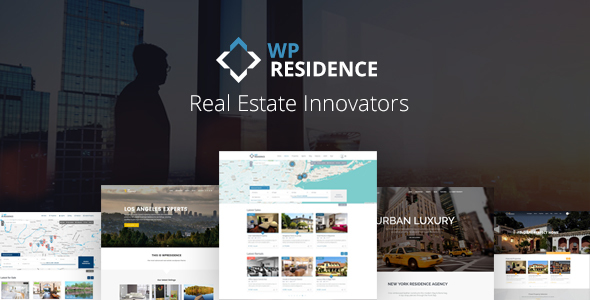
WP Residence Real Estate WordPress Theme is a premium theme designed for independent agents and agencies, but you can also use it to allow users to submit their properties for free, for a fee or based on a subscription.
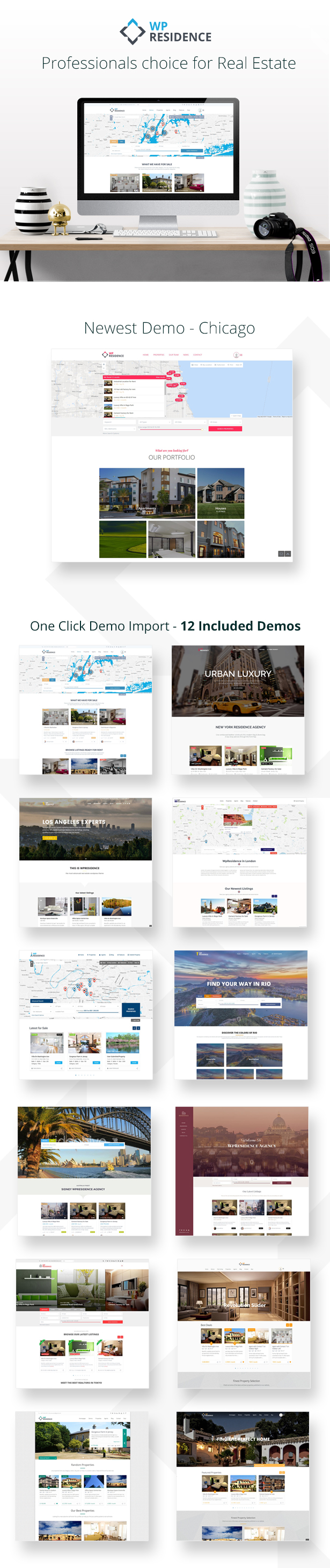
The theme has all the flexibility you need to provide the best user experience. Over 400 neatly organized theme options are included to help you create a unique and modern real estate website. 12 pre-made demos are available to get you started in seconds. All available demos are created with the options from theme admin, and you can enable or disable options showcased quickly.
Translated in 32 Languages Arabic, Bulgarian, Czech, German, Greek, Spanish, French, Hebrew, Hindi, Croatian, Hungarian, Indonesian, Islenka, Italian, Japanese, Korean, Dutch,Nederlands (België), Polish, Portuguese, Romania, Russian, Slovak, Slovenščina, Serbian, Spanish, Svenska, Russian, Thai, Turkish, Urdu – PAKISTAN, Vietnamese, Simplified Chinese. . NOTE: Please be aware these are machine translations, and you may need to review them.
Simple User test account for main demo (specific membership packages, different profile info)
Username = user
Password = 1234
Agent test account for main demo (specific membership packages, different profile info)
Username = agent
Password = 1234
Admin test area to check Theme Options
URL= http://demo-admin.wpresidence.net/wp-admin/
Username = testadmin
Password = testadmin
For any support question or demo assistance leave a message through our profile page or write directly to [email protected]


Latest Version – 1.32.1
Built-in caching system with Delete Button (and a cron to renew cache automatically every 4 hours)
GDPR Ready – delete profile button option. It deletes all data related to user account (My Profile, My Properties, My Invoices, Messages and Saved Searches)
Quick Theme Setup steps in theme admin and custom theme widgets to open the most important theme options easily
and more



Trusted by 12,000+ clients
General Features
Easy to Get Started
Do you like the demos available? Import any demo with a few clicks and start editing it right away.
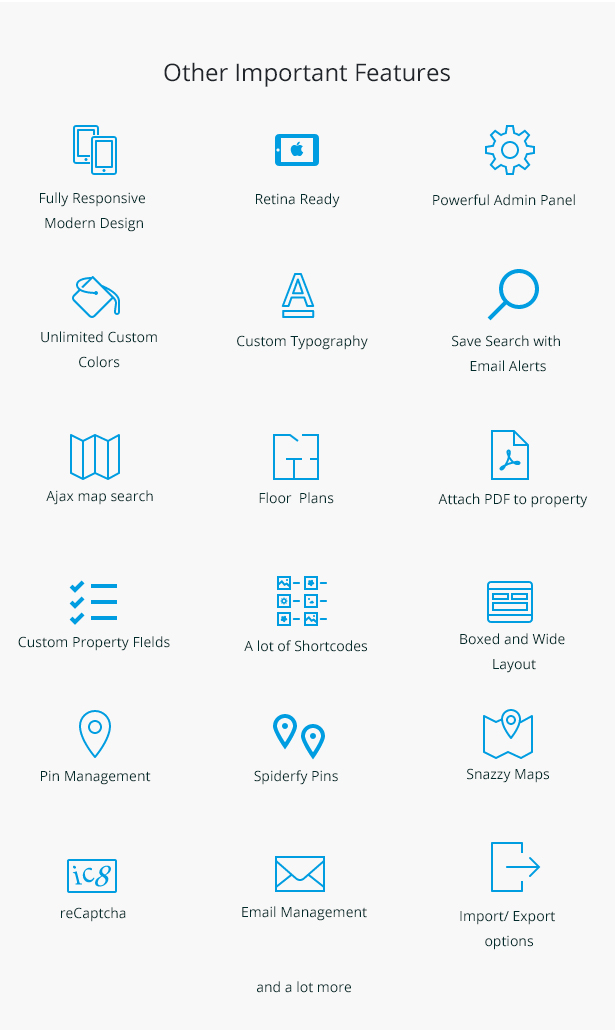
Fully Responsive & Retina ready
The theme is ready for all phones and tablets. Offer a smooth user experience on all platforms.
WPBakery Page Builder, Revolution Slider & Ultimate Addons are included
WPBakery Page Builder gives you the tools to create a page with drag and drop, without any advanced WordPress knowledge. Ultimate Addons adds to default WPBakery Page Builder a multitude of extra shortcodes for design variety options. Revolution Slider allows you to create stylish slideshows with diverse effects and video background that you can set as header media.
Powerful Theme Admin
Easily manage theme options or content from admin area. Over 350 neatly organized settings are available to build a powerful real estate website.
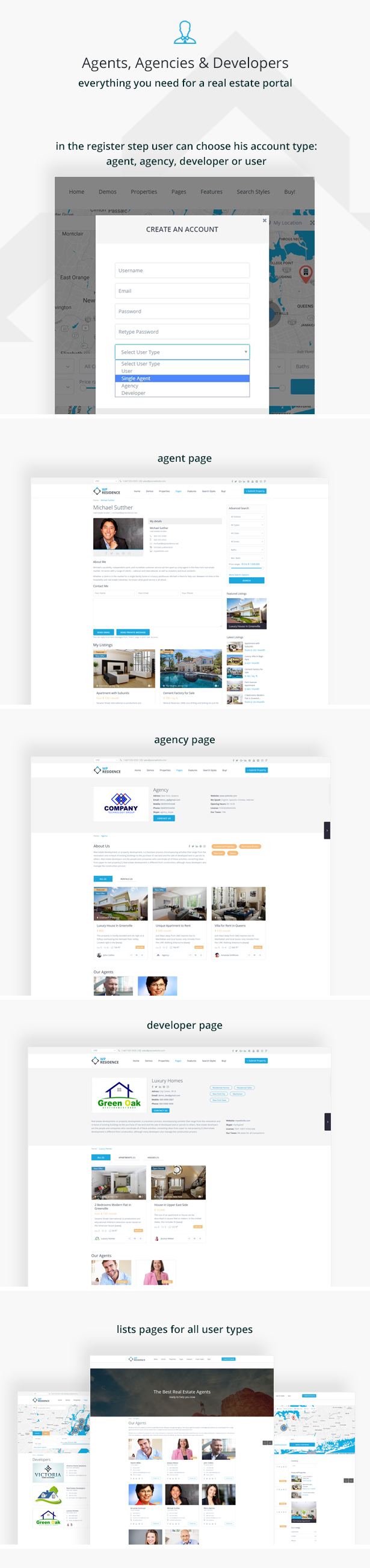
User Roles: Agent, Agency, Developer or Standard User
As admin you have specific options to enable users roles for your website. You can enable if you wish to show a drop-down in registration, and if enabled, which roles to show from these options: user, agent, agency, developer. For an agent, agency and developer admin can enable the option to manually approve/publish their profiles pages or to let the profiles be published automatically on registration. Agencies and Developers can add their own agents, disable or enable their listings with 1 click. Membership packages can be created and set to show for specific roles.
Header & Menu Options
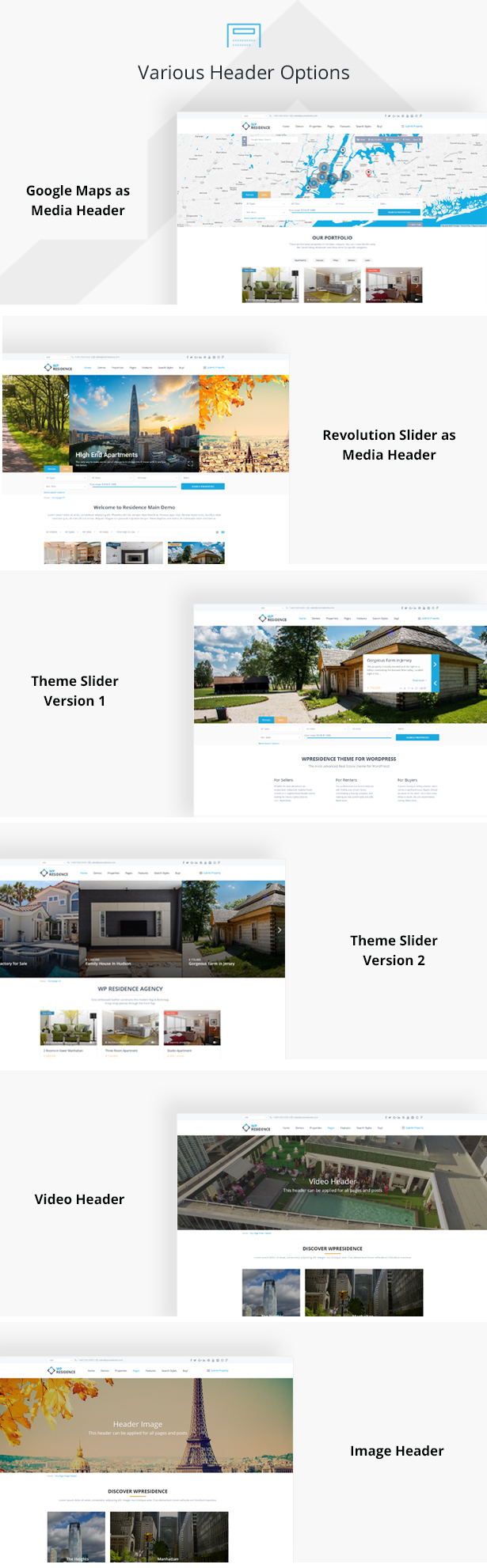
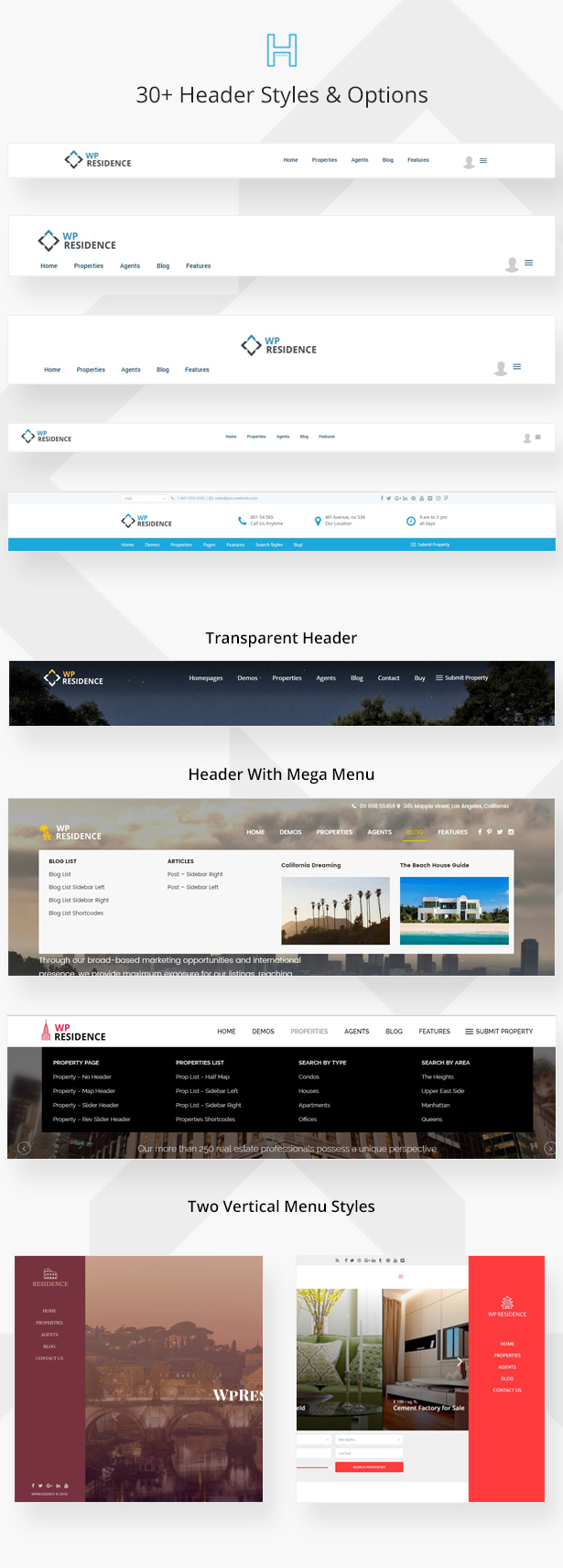
You can choose between 4 different menu design styles, including vertical menu and Mega Menu. As header you can select Google Maps, Properties Slider, Revolution Slider, Image or none.
Google Maps and Price Pins
Offer your clients the possibility to search for properties on Google Maps, and they can easily find results nearby their location (with geolocation) or in other areas. Each property can have its custom image pin on the map or a price pin, so it’s easy for the users to spot the type of real estate listing they’re looking for.
Advanced Search Options
Create a powerful real estate search for your clients. Add unlimited search fields, including your custom fields. Choose between 9 design options, including the option for search with auto-complete for city, area or state. Get results instantly, on the same page, with ajax search. State – City – Area dropdowns dependency is buil-in, which means users see cities based on selected area and areas based on selected city)
Radius search
Radius search can be enabled/disabled for the Half Map style pages (search results, properties list half or property categories half. You can choose default radius value, and if you wish to show radius in miles or km. Live demo – http://wpresidence.net/half-map-radius-search/
Properties Lists options
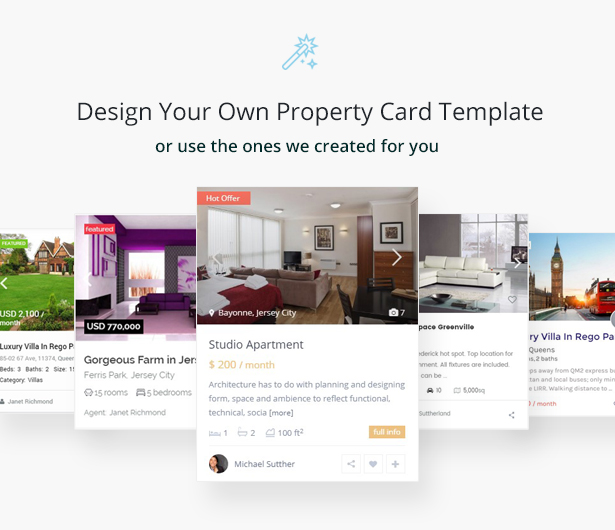
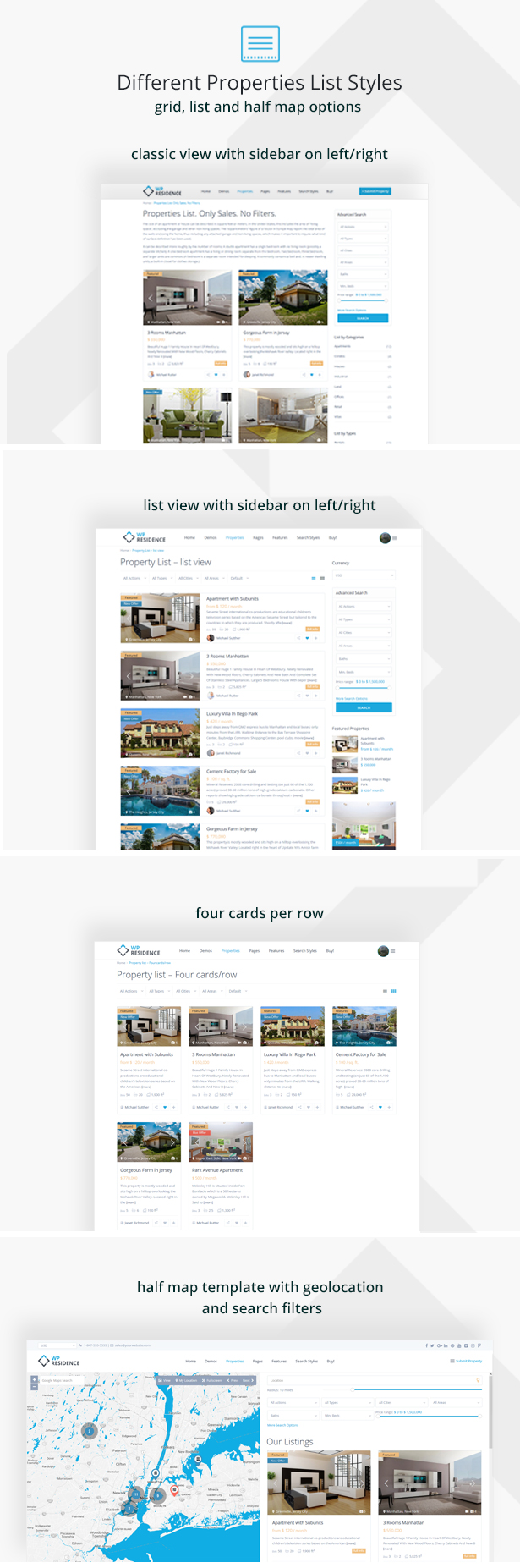
Create lists of properties based on specific states, categories, types, cities or areas, with the available real estate shortcodes or custom page templates. You can show properties as list or grid style by default, in a half map style page or standard list page. There are 5 property card types built-in, or you can custom build your own.
Property subunits
In each property you can attach other properties as subunits. The subunits will show in advanced search results.
PDF Print Elements Management
Control which property elements to show in print property option.
Similar Properties
At the end of each property clients can find other similar listings from the same city, area and type.
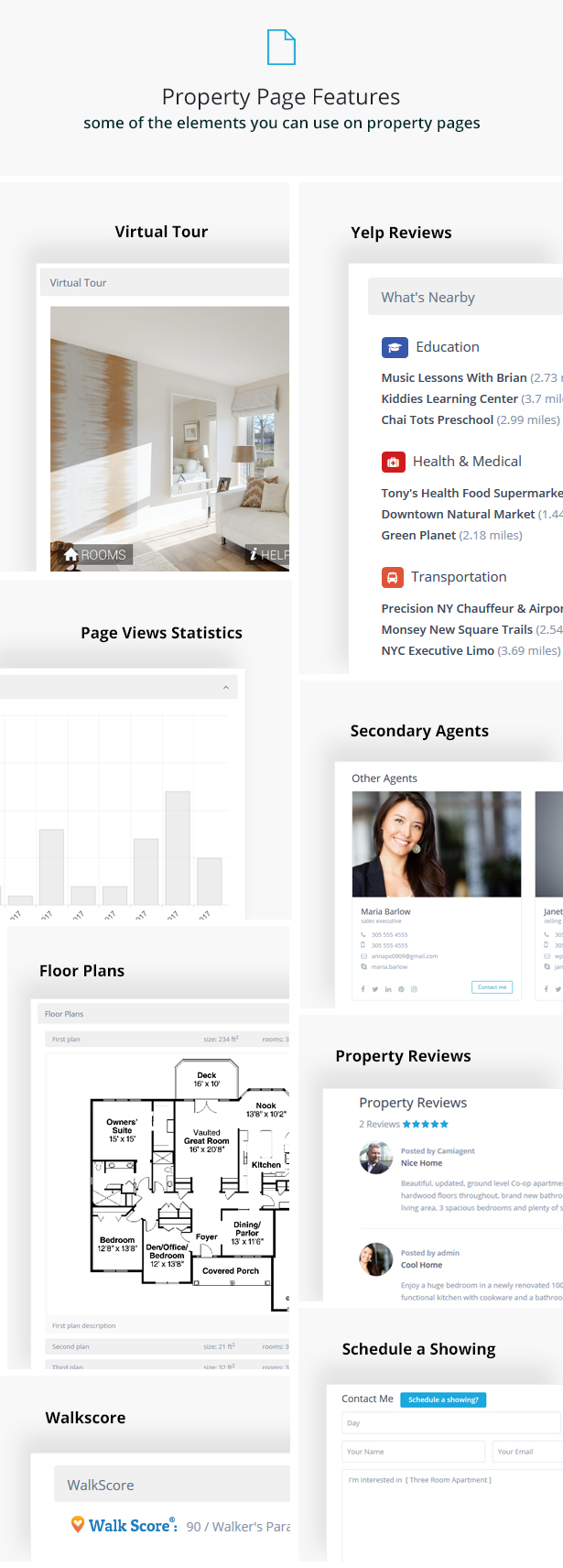
Virtual Tour
Show your real estate offer with enhancing virtual tours directly from the property page to attract more buyers. Now you can show the virtual tour in the header media or in page content.
Front End Property Submission
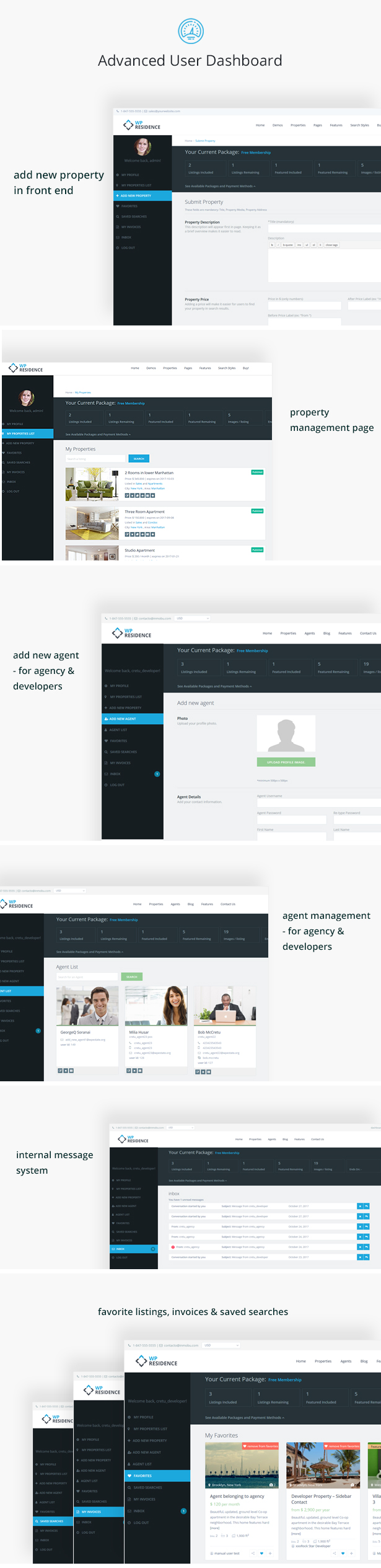
If you wish, allow users to register, submit and edit their properties from a white-labeled user dashboard. As the admin, you can manually approve each property, or allow the theme to publish them automatically. Each user can edit from his dashboard the profile info, his favorite real estate listings and saved searches.
Front End Property Submission Form Control
Set which fields and which mandatory fields you wish to show in front end submit property form.
Contact Page & Contact Forms
Create a dedicated contact page with your real estate company location details in the map, your contact information and a integrated contact form that goes directly to your email. Additionally, you can replace the theme contact form with a Contact 7 form.
Design Options
Manage theme theme design from admin area, from header options and menu styles, to site width, header height, content padding or widget padding, border radius or border size and much more.
Custom Colors
You can change the theme colors are wish, from header to footer elements, directly from theme options.
Footer Options
Choose between 9 different footer column layout options and change the footer colors from admin area. Add any of the widgets available to footer. Additionally, you can add a footer background image.
Typography Options
Get full control over theme typography with over 400 Google fonts, font size and font weight control, plus font subset management.
Blog List Layouts
Choose between grid or list style and make your blog list easy and functional.
Unlimited Sidebars
The theme comes with a few predefined sidebars, but you can also create your own sidebars and populate them with the theme real estate dedicated widgets or other widgets, from admin options.
Translation Ready
The theme can be translated to any language through .po files. We include a child theme zip to be able to add your translation directly in there, and do seamless theme updates.
WPML Support
The theme is WPML ready, which means you can create a multi-language website if you wish to use this plugin.
Detailed Feature List
- Dedicated support team to answer all your questions, comments and requests promptly.
- WordPress latest compatibility.
- Built with HTML5 and CSS3.
- Built on Bootstrap 3
- Font Awesome icons included
- Cross Browser compatible, tested on Firefox, Chrome, Safari, Opera, IE11, Edge
- Included plugins: WPBakery Page Builder & Revolution Slider & Ultimate Addons ($65 value)
- 100% Responsive on all Smartphones, tablets and desktop computers & Retina ready.
- 11 Demos and 1 click demo import
- Extensive manual with detailed instructions
- Import and Export theme options.
- Minify theme CSS and JS.
Google Maps Custom Integration:
- Half Map – open pin infobox automatically on the map when hovering over a property in list
- NEW: Price map Pins with 2 options: price full or price shorten (ex: 10k instead of 10000). Price pins can have custom colors for different property types (ex: sales and rentals)
- Google Maps Pin reading system from FILE for improved speed. See demo with 2500 listings here – http://demo3.wpresidence.net/
- Spiderfy for real estate listings in the same location
- Distinctive pins images which you can upload from admin
- Snazzy Maps (style the map colors as you wish).
- Google Maps type option. Choose between Terrain, Roadmap, Satellite, Hybrid as default display. In front end user can choose to switch display from map controls.
- Limit the max number of pins to show on the map for speed optimization.
Advanced Search:
- Radius search which works with half map list page style. Manage radius settings from theme options, including if you wish to show the distance in miles or km.
- NEW: Automatic list of properties based on selected search fields – works with a keyword as well
- NEW; Search type 10 with type Address, City, Area, State field + extended search options that sync with your own custom fields
- NEW: Search type 11 with keyword search + extended search options that can sync with your own custom fields
- Advanced search position options: before header media, after header media, enable sticky search yes/no, control search margin top
- Custom fields support with unlimited search fields
- 9 Advanced Search type options for search over header media, including options with TABS.
- For search with tabs you can choose in tabs your own categories from available taxonomies (category, type, city, area, state)
- Set the min and max price slider value for each tab category, if you’re using search with tabs
- Control the number of Search fields per row (you can use 1, 2, 3 or 4)
- Standard page or half map page style for advanced search results page
- Search by property ID (automatic or manual ID)
- Search by property title keyword
- Search by custom dropdown fields
- Show Bedrooms, Rooms, Bathrooms as dropdown in advanced search
- Search by custom fields (date, text, number type)
- Enable or disable Price Slider. Set min and max values for price slider
- Advanced Search Options: show over header with slider, show in open or close mode
- Sub-categories support for custom taxonomies (City, Area, Type, Category, State)
- Number of properties listed for each category and sub-category, for custom taxonomies (City, Area, Type, Category, State).
- State – City – Area dropdowns dependency in advanced search, properties list, properties list half and properties list directory style
Earn Money:
- Stripe Merchant, PayPal Merchant or Wire Transfer for payment options.
- Membership packages with recurring option so you offer clients paid membership if they wish to submit their own real estate properties in your site. With this option on you can offer free membership listings with an expiration in days for each free listing published.
- OR enable Paid Listing Option with the setting to charge for publishing each property + charge an extra fee for a property to be set as featured (featured = first in lists).
- OR, if you wish, leave free submission
- OR, don’t allow submission at all and add all your properties from admin
Properties Lists:
- Properties List directory style, with ajax filters on sidebar – https://wpresidence.net/property-list-directory-design/
- Standard Properties list page: select what properties from which cities, areas, categories, and/or areas display by default. Select if only featured properties are shown by default or not.
- Half Map Properties List page – with ajax filters.
- Taxonomy page to list properties from a certain category (standard or half map design options)
- Taxonomy page with custom header image and custom content for City and Area
- Image slider in property unit (with on/off control)
- Show property cards in list / grid view
- Choose between 5 built-in property cards, or design your own
Property Page custom settings:
- NEW: Energy Certificate option for Europe clients
- NEW: Attach multiple Agents to a property assigned from admin
- NEW: Schedule viewing option in Contact Form (*applies only for theme contact form)
- NEW: Reviews for property page (can be turned on/ off from theme options).
- NEW: Internal Message system (can be turned on/off from theme options)
- MAJOR NEW FEATURE: Property page custom templates and shortcodes. Now you can design the property page as you wish with shortcodes specific to property page and existing details, and any extra text / images / shortcodes from WPBakery Page Builder
- WALKSCORE API connection to show property walkscore based on property address (optional)
- Number of page views in: property page (under title), property page (graphic view with on/off), user dashboard my properties
- Subunits for property (select subunits in submit property, admin and front end forms)
- Add your own price currency and price thousands separator
- Before and after price label
- If price is not added, after price label still shows (for how wants to show text only)
- Assign the real estate agent responsible of the property from a list with all agents available. This is for Admin only.
- Default settings: County, State, Zip, Country, City, Area, Type, Category, Lot size, Bedrooms, Bathrooms, Rooms, Price, after price label.
- A hidden field for owner and admin only, managed in Submit Property in front end and Edit Property (admin area)
- Unlimited Custom fields managed by admin (text, dropdown, date and number field styles)
- Unlimited Property Status – managed by admin
- Google Maps position (Latitude, Longitude, Google Street View & Street Camera Control
- Add 1 Video in property slider, from Vimeo or YouTube
- Unlimited Amenities and Features – managed by admin
- Add Floor Plans for properties in Admin and in Submit Property form in Front End
- Print Listing button in Property Page.
- NEW: Print PDF elements management from theme options.
- Attach PDF to property in Admin and Front End Submission form
- Property Page Tab or Accordion layout options
- Property Page – Agent/User info on sidebar or after property information
- Property Page slider in 6 variations: 2 slider versions to show in property content, 1 version with gallery images, and 3 full header sliders options
- Property full header slider: version 1, with multiple images, version 2, with full header images and thumbs and version 3 – full header with Ken Burns effect
- Masonry Gallery for Property Page – Click here for live demo!
- Change or Assign a property to a registered user/subscriber from admin – Edit Property
- Full control over the names of categories, types, cities, areas, states and google maps property pins images.
- Global sidebar position and sidebar name for properties added in wp-admin or in front end set in Theme Options –
- Virtual tour embed support in admin edit property and in front end submission.
- YELP API integration (works for specific countries)
Registration Options:
- reCaptcha for registration form
- User Login and Register menu in header (with on/off control)
- Agree to Terms and Conditions check before registering. Terms and Conditions page is managed by you
- User Registration and user dashboard are white labeled (no WordPress reference)
- User Registration with type password in register form or with password assigned by the system
- Forgot Password Option
- Option to login/register from header user Menu, login/register widget, login / register shortcode or via Modal Box (used when selecting Favorites only)
- Admin can enable/disable the option to manually approve new agents / agencies and developers (the page with agent / agency or developer info will be published by admin if this is wanted)
- Agency, Agents, Developers and Users separation (register dropdown can be turned on / off from admin)
- Manage property link titles from theme options
Front End Dashboard Settings:
- NEW: If membership is enabled, you can show Membership packages for specific account types: users, agents, agencies, developers. Each package can have a fix number of listings, featured listing, number of images per property, expiration (in days, weeks, months or years) and for which user role to display or if the package should stay active just for admin.
- NEW: Agencies / Developers can add agents from their own dashboard in front end. Agents will publish listings from the agency / developer membership allowed listings, if they belong to an agency / developer
- NEW: Add custom fields for each Agent profile
- Option to disable add property submission by deleting the pages for Add Property and My Properties.
- Add Property Form. Manage what fields and what mandatory fields show in Submit form from theme options
- Submission Form Address changed to Auto-complete from Google Maps, or set with pre-defined drop-downs for Address Fields (city, area, state)
- Min image size in submission form for property images (500 x 500 min required)
- Limit the number of images that can be uploaded in submission form
- Enable / disable published listing
- Add or edit my Profile page
- My properties page with search by title (autocomplete)
- My Favorites page with all user’s favorite properties.
- My Saved Searches page. Users get Email Alert (daily or weekly) based on Saved Search parameters.
- My Invoices Page with the list of invoices user has paid.
Real Estate Shortcodes:
- Recent Properties and Recent properties slider with the following settings: from specific categories, types, cities or areas, in random order (yes/no), by first published date or by featured first, show only featured properties or all properties, grid or list style
- Recent Items shortcode for Properties allows “loading more” properties in the same page and it allows adding filtering options
- Properties by Agent
- List specific real estate properties by their ID
- Featured Agent
- Featured Property (3 design options)
- Featured Blog Post
- List Cities or Areas
- Advanced Search
- Login and Register forms
- List agents by published date and from specific taxonomies: agent city, agent area, agent category or agent type
- Recent blog posts or recent blog posts slider (with posts from specific categories)
- Single real estate property map + pin and infobox.
- Testimonials (with slider option) – 4 design varionts
- Contact us shortcode
New Shortcodes: membership packages, featured developer / agency, properties categories slider, featured property and article
Real Estate Widgets:
- NEW: Size Measurement Unit dropdown widget
- NEW: Search widget for Agents, Agencies and Developers
- Multi-Currency dropdown
- Featured Agent
- Mortgage Calculator
- Advanced Search
- Featured Listing
- Social Links
- Contact
- Login/User Dashboard
- Zillow Estimate
- Recent Listings
Custom Page Templates:
- Contact page
- Blog list (with grid or standard list options)
- Properties List with Ajax Filters and sort options
- Properties List Half Map with Ajax Filters synced with advanced search custom fields
- Real estate agents list
- Compare Properties
- Advanced Search Results page (standard or half map layout)
- User Dashboard page templates: My Profile, My Properties, Add Property, My Favorites, My Saved Searches, My Invoices, Add Floor Plan
- Terms and Conditions
General Page Settings:
- Show Title Yes/No
- Sidebar Position: Left, Right or None.
- Select what Sidebar displays if enabled
- Custom Header media: revolution slider, theme slider, google maps, image or none
Agent, Agency, Developer pages include:
- Agent/Agency/Developer description and profile image
- Phone
- Mobile
- Skype ID
- Twitter, Facebook, Linkedin, Pinterest, Foursquare, Instagram
- Website Url
- The Contact Form is (automatically added). This contact form sends all messages received through agent page directly to agent/agency or developer email
- WordPress Nonces integrated from Anti-Spam security in theme forms
- Replace theme contact form with contact 7 plugin form.
- NEW: Reviews for Agent, Agency and Developer
Other theme options:
- Email management interface. Edit all theme emails text yourself.
- Date field calendar language control/li>
- Footer background image control in theme options.
- Translation Module with POEdit.
- 4 Header types with different elements position
- 6 Menu item design options
- Transparent Menu
- 2 level menu navigation, with full control over colors, Mega Menu option, vertical menu option
- Google Maps full screen option
- Splash Page template included: can be set as image, video or multi-image slider
- Custom Header – Video header option
- Parallax option for Image / Video header media with On/Off from theme options
- Manage all theme colors from custom colors management
- Change Logo, Transparent Logo, Sticky Logo, Mobile logo & favicon
- Font Typography management
- Google Analytics
- 9 Footer design option to set footer in a unique layout.
- Copyright Footer Text editor
- Footer Menu
- Sticky footer option
- Custom Mobile Menu
- Social Share buttons integrated in Blog Post, Property Post, Properties List.
- SEO Optimized and compatible with any third party SEO plugin you’d like to add.
- Custom 404 Not Found page included
- Threaded Blog Post Comments
- Unlimited Sidebars
- Well organized code and files
- And many more attractive features!
Client Support
Support is being provided through our private ticket system at http://support.wpestate.org/ /
We usually respond to every support request within 24h (Timezone: UTC+01:00). During weekends we offer limited support.
Visit http://wpestate.org/ for more information about the theme features, video tutorials, help manual and public forum.
Server requirements:
Min. PHP 5.5
About IDX plugin compatibility
IDX plugin compatibility means that the theme works well if you add 3rd party plugins (such as dsIDXpress or Optima Express). The theme will not return any errors just by using these extra options. IDX plugins are Optional, and they are not required for the theme to be installed and used.
How IDX works: If you install one of IDX plugins, they will work with the theme, without conflicts. BUT the properties added through the plugin can be managed only with plugin features, options. They will NOT be used with the theme options. The properties from IDX are managed in a different database, and the theme cannot access those properties (the plugin developers do not offer such access). So you use the plugin as it is, with its design and features.
WP RESIDENCE Versions Released
WP RESIDENCE 1.32.2 – June 14
Fix: Gallery style slider, lightbox scroll when opening from 1st image
FIX: Cache and WPML
WP RESIDENCE 1.32.1 – June 6
IMPORTANT Clear CDN cache (if you use that), plugin cache (if you use that), server cache (if you use that) and browser cache (mandatory), server cache (if you use that) after you update the theme from an older version to be sure you are loading the latest additions correctly.
NEW: a Built-in caching system with Delete Button (and a cron to delete cache automatically every 4 hours)
NEW: GDPR Ready – delete profile button option. It deletes all data related to user account (My Profile, My Properties, My Invoices, Messages and Saved Searches)
NEW: Quick Theme Setup steps in theme admin and custom theme widgets to open the most important theme options easily,
NEW: 30 languages added (these are 100% translations machine done): Arabic, Bulgarian, Czech, German, Greek, Spanish, French, Hebrew, Hindi, Croatian, Hungarian, Indonesian, Islenka, Italian, Japanese, Korean, Dutch,Nederlands (België), Polish, Portuguese, Romania, Russian, Slovak, Slovenščina, Serbian, Spanish, Svenska, Russian, Thai, Turkish, Urdu – PAKISTAN, Vietnamese, Simplified Chinese

UPDATED: In Theme Options separated User Role settings for easier management
UPDATED: PayPal API for subscriptions
UPDATE: Paid listing option, allow to pay for paid listing and featured listing in 1 purchase
UPDATE: Tested the theme is PHP 7.2 100% ready
UPDATE: Share unit changed from images to fontawesome icons
UPDATE: Added country CURACAO
UPDATED: wpresidence.po

FIX: Save virtual tour from front end submission form
FIX: Area and county switch on agent profile
FIX: Mobile Contact box
FIX: Translate Unit Measure showing 0 value

UPDATED: Ultimate Addons plugin to version3.16.24 and Revolution slider to version 5.4.7.4
WP RESIDENCE 1.30.8 – April 2nd
NEW: Property Card type 3 and 4 http://help.wpresidence.net/article/default-property-card-units/
NEW: Language for Stripe - https://stripe.com/blog/checkout-in-more-languages
NEW: Agents phone numbers with tel hyperlink

UPDATE: Property card type 2 with property status over featured image
UPDATE: Style.css for font headings (font-weight modified)
UPDATE: Contact form 7 compatibility with Agency & Developer contact forms
UPDATE: Currency Conversion API
UPDATE: Order for properties under My Listings on Agent Page (by publishing id first)
UPDATE: Remove My properties and Saved Searches page templates if they are deleted from Pages list
UPDATE: Remove "All" from search filters
UPDATE: Improved responsive design to Map Controls

Fix: Send emails to agents added from wp-admin
Fix: Select a specific State for Properties List pages will show by default only properties from that state
Fix: Remove image URL when inserting an image from media into a blog post
FIX: Show only membership packages assigned to subscribers for users who register through facebook / google / yahoo
FIX: Allow agencies to add floor plans
Plugins included update: Rev Slider 5.4.7.2
WP RESIDENCE 1.30.7.3 – March 26
Facebook API UPDATE - mandatory for Facebook Login to work - help http://help.wpresidence.net/article/wpresidence-1-30-7-3/
WP RESIDENCE 1.30.7.2 – March 20
Update: Visual Composer plugin to version 5.4.7
Update: Yelp API fusion
WP RESIDENCE 1.30.7.1 – February 16
Updated libs/css_js_include.php to limit Google Maps API version to 3.31, to avoid any problems while Google API tests the 3.32 BETA version – https://developers.google.com/maps/documentation/javascript/releases
WP RESIDENCE 1.30.7 – February 6
Change log: http://help.wpresidence.net/article/wp-residence-1-30-7-change-log/
WP RESIDENCE 1.30.6 – December 19
Change log: http://help.wpresidence.net/article/wp-residence-1-30-5-3-december-19/
WP RESIDENCE 1.30.5.3 – November 23
Update: Global Header google Maps applies for search results half & properties list half without having to edit the header type for these pages
Update: wpresidence.po exported again to include missing new terms from previous update
Update: Ultimate Addons plugin update to v 3.16.20
WP RESIDENCE 1.30.5.2 – November 17
Visual Composer update to 5.4.4
Places Shortcode update for 4.9 wordpress.
WP RESIDENCE 1.30.5.1 – November 15
Change log - http://help.wpresidence.net/article/wp-residence-v-1-30-5-1-november-13/
WP RESIDENCE 1.30.4.1 – October10
Update: Height for header image on mobile
Update: in membership first package is selected by default
Update: include wpresidence-child-po.zip in theme pack to translate the theme in another language through child theme and make updates easier to manage
Fix: nearby places buttons on single map shortcode
WP RESIDENCE 1.30.4 – October 2nd
IMPORTANT NOTES!
We added license check. It will be mandatory to add your license code after you update the theme in max 24 hours after activating the new version to get full access to theme options. Help http://help.wpresidence.net/article/how-to-get-your-buyer-license-code/
Make sure you clear server cache – plugin cache and browser cache after you update to be sure that the new options are loaded correctly.
If you use search closed by default, the search will not show after you update the theme. To make search show go to Theme Options – Advanced Search Form – Use Float Search Form? – YES
Search type 7 and 9 are Obsolete. Use the new search position options to place the search in a fixed position, after media, as these were in the previous version. Now you can also set the search before media.
Check full change log here http://help.wpresidence.net/article/wp-residence-1-30-4/
Full Change Log – http://help.wpresidence.net/article/wp-residence-1-30-4/
WP RESIDENCE 1.30.3 – September 25
Plugins updated to: Visual Composer 5.3, Ultimate Addons 3.16.7 and Rev Slider 5.4.6
For older theme updates please check our full change log here – http://help.wpresidence.net/category/change-log/
Related Products


| Last Update | June 15, 2018, 12:21 pm |
|---|---|
| High Resolution | Yes |
| Widget Ready | Yes |
| Compatible Browsers | Firefox, Safari, Opera, Chrome, Edge |
| Compatible With | Facebook, WPML, Visual Composer 4.12.x, Visual Composer 4.11.2.1, Bootstrap 3.x |
| Software Version | WordPress 4.9.x, WordPress 4.8.x, WordPress 4.7.x, WordPress 4.6.1, WordPress 4.6, WordPress 4.5.x |
| Columns | 4+ |


